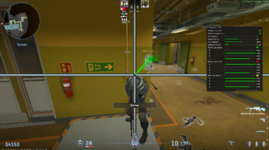
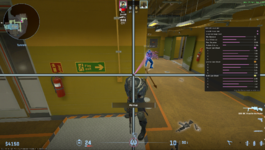
To open the menu, use the INSERT key. If the script doesn't load or unloads right away, check the CS developer console for errors and send me the issue.
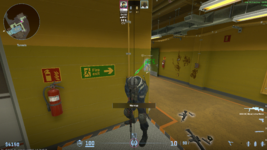
The script shows you where you can shoot people through walls.
It draws a line to the spot and puts a circle there.
Green means you can shoot them.
Red means they can shoot you.
Yellow means you can both shoot each other.
You can turn on text to see how much damage a shot will do.
I tried to optimize it ( you can change some behavior in the gui ).
Scan distance is how far to search for the edge or when you can shoot, while max distance is the total radius it can scan up to.
!!! IGNORE MY PROFESSIONAL CROSSHAIR
MAKE SURE TO ADJUST MIN DAMAGE AND SCAN DISTANCE TO YOUR PREFERENCE.
The script shows you where you can shoot people through walls.
It draws a line to the spot and puts a circle there.
Green means you can shoot them.
Red means they can shoot you.
Yellow means you can both shoot each other.
You can turn on text to see how much damage a shot will do.
I tried to optimize it ( you can change some behavior in the gui ).
Scan distance is how far to search for the edge or when you can shoot, while max distance is the total radius it can scan up to.
!!! IGNORE MY PROFESSIONAL CROSSHAIR
MAKE SURE TO ADJUST MIN DAMAGE AND SCAN DISTANCE TO YOUR PREFERENCE.